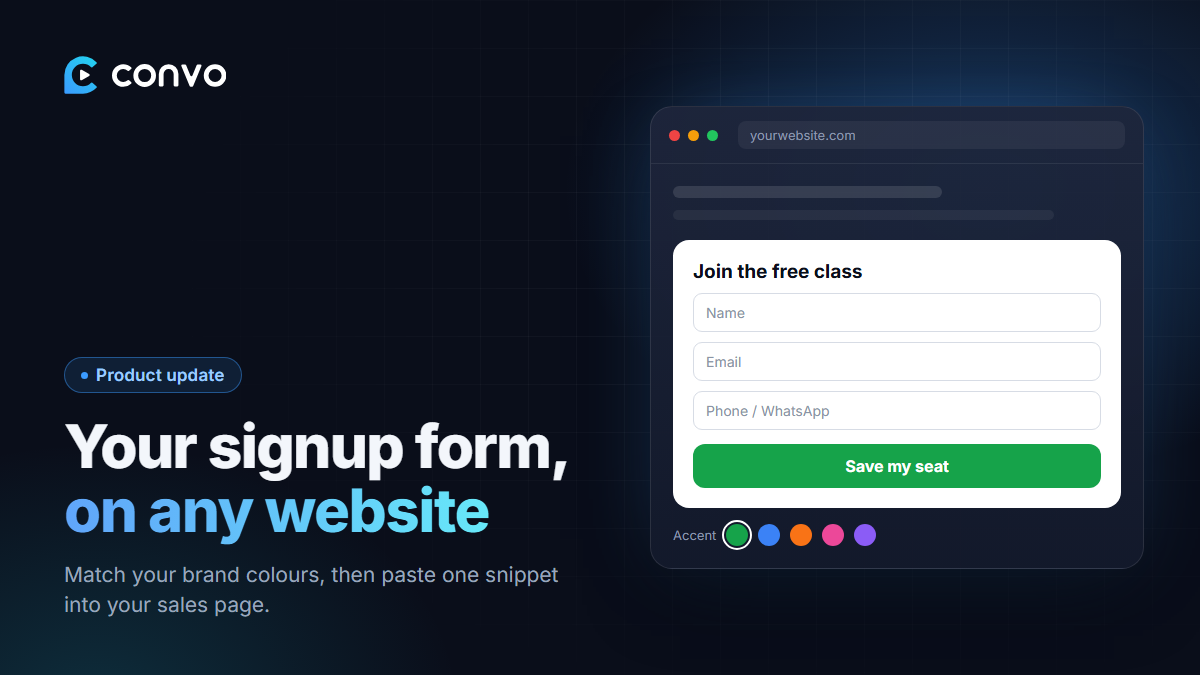
Your registration page on Convo works well on its own. But a lot of you already have a sales page, a Linktree-style site or a WordPress blog, and you'd rather people sign up there without being sent somewhere else.
Now you can drop your registration form straight into any website.
How to embed your form
- Open your webinar in the dashboard and scroll to Embed form.
- Customise it:
- Accent colour to match your brand.
- Light or dark theme to match your page.
- Button label, for example "Save my seat" instead of "Register for free".
- Headline (optional) above the form.
- Collect phone / WhatsApp, if you want numbers as well as emails.
- Watch the live preview update as you change things.
- Copy the snippet and paste it into your page.
It works on Webflow, Framer, WordPress, Systeme, or any page where you can paste HTML.
Registrations count the same
Someone who signs up through the embedded form is a normal registrant. They get the confirmation and reminder emails, they see the countdown, and they show up in your registrant list. If you've added ad pixels or tracked links (more on those in later posts), embedded signups are counted too.
Now faster
We've also rebuilt how the form loads. It's now rendered on our servers and cached close to your visitors, so it appears almost instantly instead of loading in stages. That matters on mobile data, where every second of a blank box costs signups.
The embed form is available on every plan, including free.