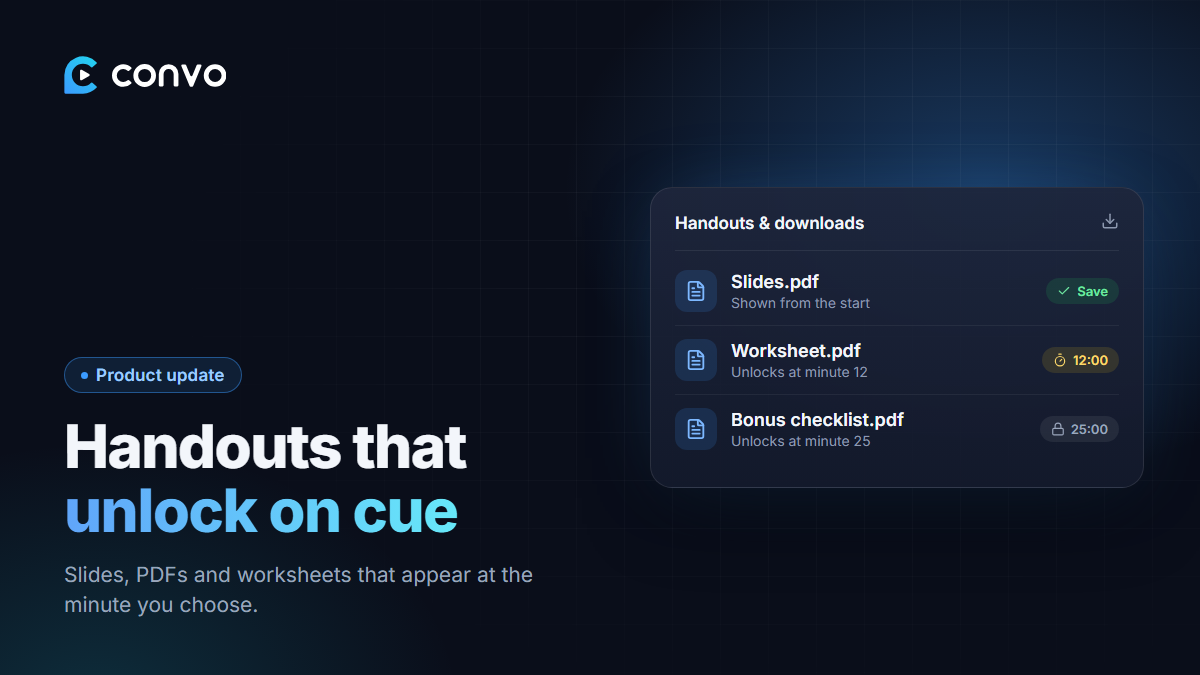
Most good webinars come with something to take away: the slides, a worksheet, a checklist, a bonus PDF. Until now you had to send those separately by email or WhatsApp.
Now you can attach them to the webinar itself.
How handouts work
Open a webinar in your dashboard and find Handouts & downloads. Upload a file and choose the minute it should appear.
- Set it to minute 0 and attendees can download it as soon as the showing starts.
- Set it to minute 12 and it unlocks exactly when you say "I've put the worksheet below, grab it now."
Attendees see a download button in the webinar room at that minute, with a Save button on each file. You can change the minute for any handout later without re-uploading it.
Why timing matters
A handout that appears at the right moment does two jobs. It gives people something useful, and it keeps them in the room. If your bonus checklist only unlocks at minute 25, people have a reason to stay until minute 25, which is often right where your offer starts.
Ideas for what to attach
- Your slides, so people can follow along on a small screen.
- A worksheet they fill in while you teach.
- A short case study or results summary that unlocks just before your offer.
- A bonus that's only for people who stayed to the end.
Handouts are available on every plan.