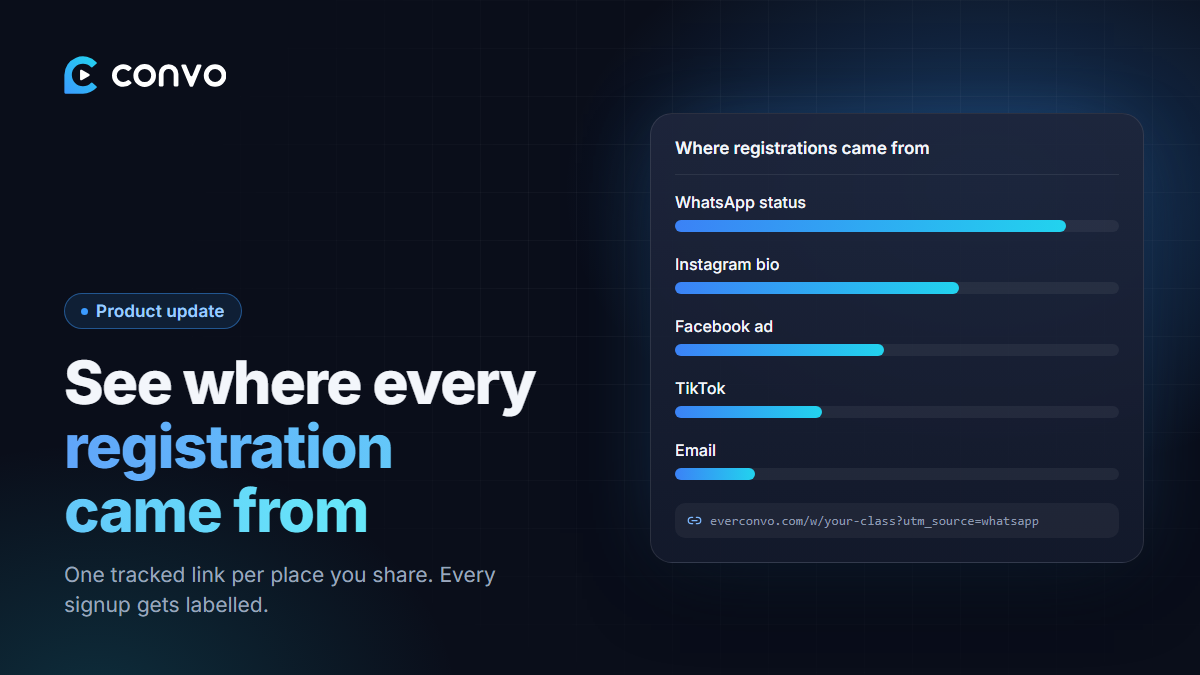
You post your webinar link on your WhatsApp status, in your Instagram bio, in a TikTok video and in a Facebook ad. Fifty people register. Which post brought them?
Until now there was no way to know. Now every registration is labelled with where it came from.
Create a tracked link
Open your webinar and find Where registrations came from. Under Create a tracked link:
- Choose where you'll share it: Facebook ad, Instagram ad, Instagram bio, WhatsApp status, WhatsApp group, TikTok or Email.
- Optionally give it a name, like "october video ad", so you can tell two ads apart.
- Copy the link and use it in that one place.
Make a different link for each place you share. They all go to the same registration page.
See the breakdown
As registrations come in, the same section shows how many came from each source. You'll see at a glance whether your WhatsApp status beats your Instagram bio, or whether that ad is worth the money.
Convo also recognises common sources on its own. If someone arrives from Instagram, TikTok, X, YouTube or Google without a tracked link, it still labels them where it can. Registrations from before this feature are counted as "not labelled".
Works with what you already use
Tracked links use standard UTM tags, so if you already tag your links for Google Analytics, Convo reads those too. Signups through your embedded form are labelled the same way.
Source tracking is available on every plan.